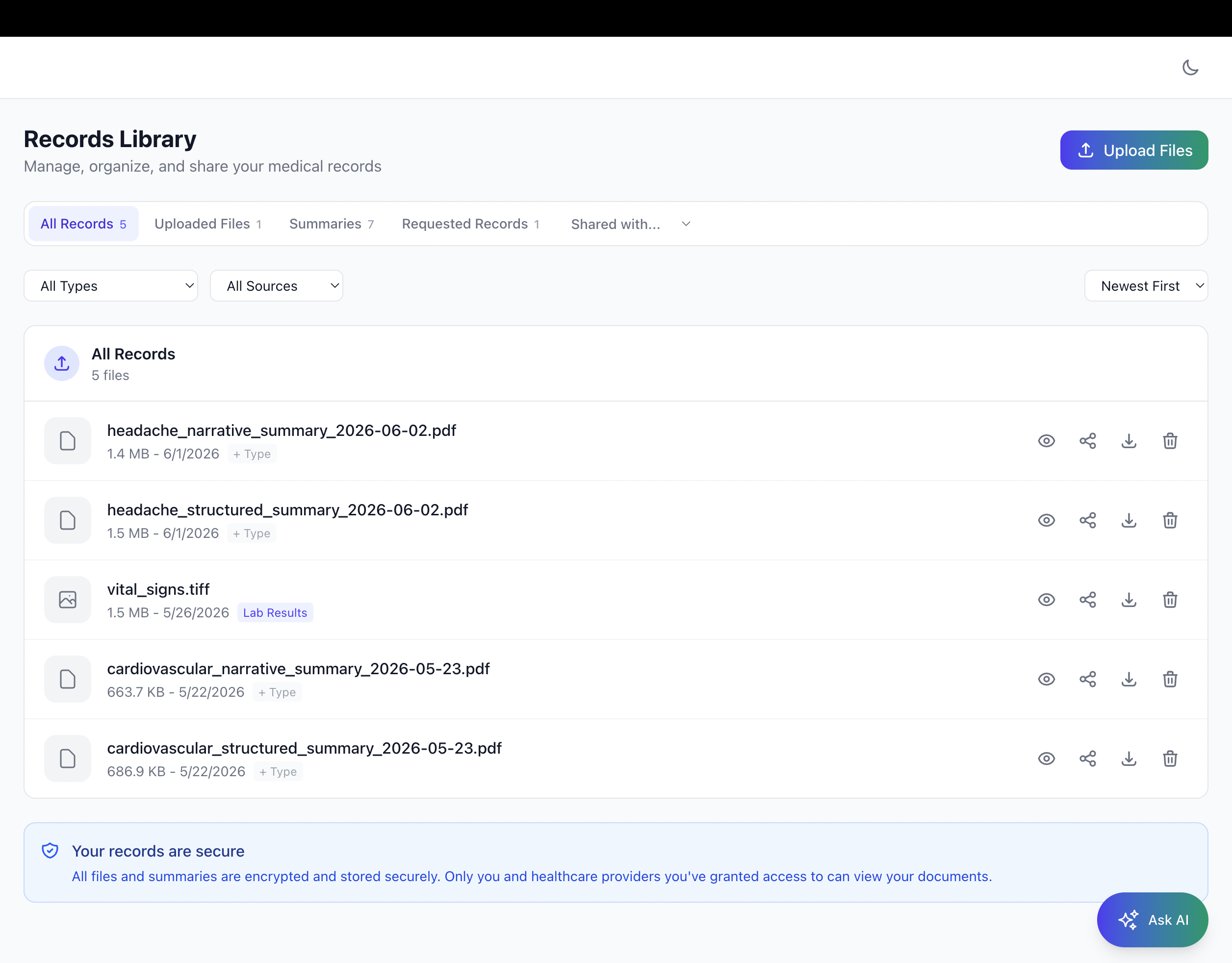
You've got a folder on your desktop called something like "Mom Doctors 2023." Inside it: a 47-page PDF from the hospital discharge, three scans with names like "IMG_4891.jpg," a fax confirmation from the spine clinic, and a lab result you're pretty sure is from last April, or maybe the April before that.
Sound familiar? You're not disorganized. You're doing a job that was never designed to be done this way. Managing a family member's medical records across a tangle of portals, providers, and specialists is its own part-time job — and most caregivers are doing it entirely without support.
The Invisible Job Nobody Talks About
There's a role that millions of people fill every day that has no official title, no onboarding packet, and no instructions. Call it the family medical quarterback: the person who manages appointments, remembers which specialist said what, tracks prescriptions across three different doctors, and fields the dreaded request at every new office visit , "Can you bring their records?"
If you're caring for an aging parent, a spouse with a chronic condition, or a family member navigating a complex diagnosis, you know the job. You probably didn't apply for it. You're doing it anyway.
The administrative weight is real. Research consistently shows that informal caregivers spend significant time each week on healthcare coordination tasks, and the records piece alone is its own part-time project. Tracking down imaging from a hospital system that uses a different portal than the primary care doctor. Logging into four different patient portals with four different passwords to pull four different sets of records. Printing things out just to scan them again because a specialist's office "doesn't accept uploads."
This is the system working as designed. It wasn't designed for you.
The Three Problems That Make Managing Medical Records
Hard
Before getting to what actually helps, it's worth naming the specific friction points, because "my records are a mess" is actually three separate problems, and they have three separate solutions.
1. Scattered Storage
Medical records live everywhere: hospital portals, specialist portals, your phone's camera roll (from that time you photographed the discharge instructions), your email inbox, a drawer in the kitchen, a cloud folder you set up two years ago that you're not sure is still synced. When a new provider asks for records, you're not retrieving , you're hunting.
The fix isn't more folders. It's a single place with actual structure: document type, date, source, body system. So when the neurosurgeon asks for the last two MRI reports, you can pull them in sixty seconds.
2. Login Fatigue and Portal Sprawl
Every health system has its own patient portal. Most of them are fine, if you only use one. If your family member sees a primary care doctor, a cardiologist, an orthopedic specialist, and a physical therapist, that's potentially four separate portals, four separate logins, four separate interfaces that don't talk to each other.
The fix is a digital medical records library you control, one that aggregates across sources so you're not managing portals, you're managing records. Upload from anywhere. Tag once. Find anything.
3. The "Bring Their Records" Request
This one's the most stressful because it's time-pressured. New specialist appointment in two days. They want records. Which ones? How recent? From which providers? In what format?
When records are organized and tagged, this becomes a thirty-second task instead of a two-hour scramble. You know what you have. You know where it is. You control who gets access to what.
What Organized Actually Looks Like
Here's the thing about most "solutions" to this problem: they're just prettier folders. A cloud drive with a better interface. A binder, digitized. That helps a little, but it doesn't solve the retrieval problem or the sharing problem.
What actually helps is a caregiver medical records organizer built for how medical records actually get used:
Tagged by type, not just named. Lab results, imaging, clinical notes, discharge summaries, referral letters — when records are tagged by type, you can filter to exactly what a provider needs. No scrolling through everything to find the one MRI report.
Searchable by content, not just filename. Most file systems can only search by what you named the file. A purpose-built medical records search can look inside the documents, so if you type "A1C" or "lumbar" or "metformin," it finds every document that mentions that term, regardless of what you called the file when you uploaded it. That's the difference between a filing cabinet and a records assistant.
Shareable per provider, with you in control. Not every provider needs to see everything. Your loved one's orthopedic surgeon probably doesn't need cardiology notes. A good records system lets you choose what each provider can see, so you're sharing relevant context, not the entire file pile.
Accessible anywhere. When you're in the waiting room filling out intake forms and they ask "any prior surgeries?", you should be able to pull up the answer in five seconds, not call someone and hope they know.
You Don't Have to Wait for Their Doctor to Join
This is the part that surprises most caregivers: you don't need to be part of any integrated system to get real value from organizing records this way. You don't need the primary care doctor to be on the same platform. You don't need the hospital portal to connect. You don't need anyone's participation but yours.
Upload the records you already have. Tag them. Add your loved one's conditions and timeline. Build the organized picture that currently lives only in your head (and in that desktop folder).
That organized library is already useful. It's useful the next time a new provider asks for records. It's useful when you're trying to remember which medication was started after which procedure. It's useful when you need to search it — "what did the spine surgeon say about the L4-L5 disc?" — and get an answer from the actual document, not your memory of it.
The whole story, in one place. That's the single-player value: even before any provider is connected, the caregiver and patient have something they didn't have before — clarity. See how PatientPreVue works for patients and caregivers →
The Search Problem Is Bigger Than You Think
Let's stay on search for a moment, because this is where most record-keeping systems quietly fail.
You have a PDF from the hospital discharge. It's 47 pages. You need to know whether it mentions a contrast allergy. Are you going to read all 47 pages? Are you going to Ctrl+F in a browser tab and hope the scan was OCR'd correctly?
AI-powered medical records search — the kind built specifically for medical documents — lets you ask in plain language: "Does any record mention a contrast dye allergy?" and get a cited answer pointing to the specific document and section. That's not a gimmick. For caregivers managing years of records across multiple conditions and providers, that's hours saved and details not missed.
The same goes for tracking patterns over time. "When was the last potassium lab result, and what was the level?" shouldn't require opening seven PDFs. It should be a ten-second query.
Building the System: A Practical Starting Point
If you're staring at the chaos and wondering where to begin, here's a simple framework for how to organize medical records for a family member:
Start with what you have, not what you wish you had. Don't wait until you have everything before organizing anything. Upload what exists now. Even a partial library is better than no library.
Prioritize the records most likely to be requested. In rough order: current medications list, recent lab results (last 12 months), imaging reports (especially spine, joint, cardiac), surgical history, and specialist consultation notes. These are the documents that come up at almost every new provider visit.
Tag as you go. The five seconds it takes to tag a record as "Imaging — MRI — Lumbar" is worth it the first time you need to find it quickly.
Build the conditions and timeline once. A clear list of diagnoses, procedures, and significant health events, with approximate dates, is the foundation of every intake form, every new-patient visit, every specialist referral. Build it once, keep it updated, hand it to anyone who needs it.
Share deliberately. When a new provider needs records, share the relevant subset, not everything. Relevant context is more useful than a data dump, and it respects both the provider's time and your loved one's privacy.
On the Emotional Side of This Job
Caregivers don't just manage logistics. They carry worry. They run on interrupted sleep. They hold the whole picture of someone they love in their head because no system does it for them.
Getting organized with a medical records management app doesn't remove that weight. But it does remove one specific layer of stress — the administrative scramble, the "I know I have it somewhere," the anxiety before a new appointment that you're going to forget something important.
Being prepared isn't about being perfect. It's about having what you need when you need it, so you can focus on the person — not the paperwork.
The "Take Your Whole Story Anywhere" Principle
Here's the framing that makes this click: a medical record isn't bureaucracy. It's a story. The story of someone's health — what happened, when, what was tried, what worked, what didn't. That story belongs to the patient and their family, not to the hospital system that generated one chapter of it.
When you organize records, you're reclaiming that story. And
a story that's organized, searchable, and portable can go anywhere: to a new specialist, to an urgent care visit out of town, to a second-opinion appointment, to a new primary care doctor after a move. It doesn't stay locked in a portal you need a password to access.
That's what digital medical records for caregivers actually give you. Not just tidiness. Portability. Control. The ability to walk into any office and hand over a complete, coherent picture — rather than apologizing for the scattered PDFs.
Curious how PatientPreVue fits into a broader care team? See how it works for providers too →
Frequently Asked Questions
Do I need my loved one's doctors to be on PatientPreVue to use it?
No. You can upload, tag, organize, and search records entirely on your own. The library is useful from day one, regardless of whether any provider is on the platform.
What types of documents can I upload?
Any medical document you have access to — discharge summaries, lab results, imaging reports, referral letters, specialist notes, medication lists. If you have it, you can upload it.
How do I share records with a new provider?
You choose which documents to share and with whom. A new provider doesn't get access to the full library — only the records you specifically share with them.
Is this secure?
PatientPreVue is built with HIPAA-compliant security standards. Your loved one's records are encrypted and you control who has access.
Start Organizing — No Provider Sign-Up Required
PatientPreVue's records library is built for exactly this: upload documents, tag by type, search by content, control who sees what, and share with any provider when you need to. You can start building a complete picture of your loved one's health history today — even before any of their providers is on the platform.
The records are yours. The story is yours. It should be organized on your terms.